
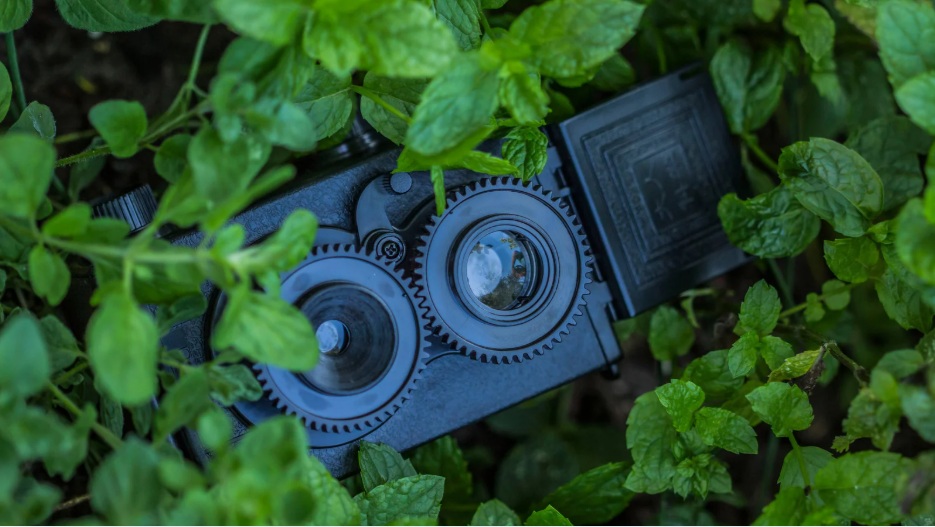
Small cameras have become remarkably capable. A device that can fit into a compact enclosure may now offer high-definition video, motion detection, night vision, wireless connectivity and built-in audio recording.
That makes hidden cameras useful for certain legitimate security, monitoring and investigative applications. However, choosing a miniature camera with audio requires more thought than simply finding the smallest device available.
Video quality, microphone performance, battery life, storage, connectivity and installation all affect how useful the camera will be. Audio also introduces an important consideration: recording conversations can be subject to stricter privacy and surveillance laws than recording video alone.
Whether you're researching a miniature security camera for your property, looking at discreet monitoring options or comparing surveillance equipment, this guide explains what to consider before purchasing.
What Are Small Hidden Cameras With Audio?
Small hidden cameras with audio are compact cameras designed to capture video while also recording sound through an integrated microphone.
Depending on the model, features can include:
HD or higher-resolution video
Built-in microphones
Motion detection
Infrared night vision
Wi-Fi connectivity
Local microSD storage
Cloud storage
Rechargeable batteries
Continuous recording
Smartphone notifications
The important distinction is that small does not automatically mean better.
A tiny camera may have a smaller battery, weaker microphone, limited storage or poorer low-light performance. For most security applications, the best camera is the one that balances size with reliable performance.
What Should You Look for in a Small Camera With Audio?
1. Video Quality
Start with the image rather than the physical size.
For general indoor monitoring, Full HD can provide useful detail. Higher resolutions may be worthwhile when you need to identify objects or capture more detail within the camera's field of view.
However, resolution isn't everything.
A camera with a high advertised resolution can still produce poor footage if it has:
A low-quality image sensor
Poor exposure control
Weak low-light performance
Excessive compression
A narrow field of view
Expert tip: Look for sample footage captured in realistic lighting conditions rather than relying solely on the manufacturer's resolution specification.
2. Microphone and Audio Quality
If audio is an important requirement, pay close attention to the microphone.
A miniature microphone may struggle when:
The camera is enclosed inside another object
There is significant background noise
The subject is far away
The camera is placed behind a thick material
Air-conditioning or machinery creates constant noise
A good microphone should produce understandable audio without excessive hiss, distortion or background noise.
Also remember that audio recording is not simply another camera feature. Laws governing the recording of private conversations can be different from laws governing video surveillance.
Before enabling audio recording, check the applicable laws in your Australian state or territory and obtain appropriate legal advice where necessary.
3. Storage Options
How the camera stores recordings can make a significant difference.
Common options include:
microSD storage
Footage is saved directly to a memory card inside the camera.
Advantages:
No ongoing cloud subscription
Simple local storage
Useful where internet access isn't available
Disadvantages:
Storage capacity is limited
The camera may need physical access to retrieve footage
A damaged or removed card can affect recordings
Cloud storage
Recordings are uploaded to an online service.
Advantages:
Remote access
Easier footage backup
Recordings may remain available if the camera is damaged
Disadvantages:
Usually requires internet connectivity
Subscription fees may apply
Privacy and data-security considerations become important
Internal storage
Some compact cameras include built-in storage. This can be convenient, but check the available capacity and whether recordings can be transferred easily.
4. Battery Life
Small cameras have one unavoidable limitation: physical space.
A smaller enclosure generally leaves less room for a large battery.
Before buying, check:
Battery capacity
Expected recording time
Charging method
Standby time
Whether the battery is replaceable
Whether motion detection reduces power consumption
Whether Wi-Fi streaming significantly affects battery life
Manufacturers often quote maximum standby figures. Real-world recording time can be considerably shorter.
If you need a camera to operate continuously, a permanently powered security camera may be more suitable than a miniature battery-operated device.
5. Motion Detection
Motion detection allows a camera to record only when movement occurs.
This can:
Extend battery life
Reduce storage requirements
Make footage easier to review
Reduce unnecessary recordings
However, motion detection isn't perfect.
A poorly positioned camera can generate false alerts because of:
Curtains moving
Pets
Changing sunlight
Fans
Shadows
Reflections
Test the detection settings before relying on the camera for an important security application.
6. Night Vision
If the camera needs to operate after dark, night vision is essential.
Many small cameras use infrared illumination to produce monochrome images in low-light conditions.
Look for:
Infrared night vision
Automatic day/night switching
Adequate low-light sensitivity
Minimal image noise
Appropriate night-time range
A common mistake is assuming the advertised infrared range is equivalent to useful identification distance.
The actual result depends on the room, reflective surfaces, lighting and camera sensor.
7. Wi-Fi and Remote Access
Wi-Fi-enabled cameras can provide convenient smartphone access.
Depending on the model, you may be able to:
View live footage
Receive motion alerts
Change settings
Review recordings
Save clips
Check camera status
But remote access introduces another security consideration: the camera itself needs to be secured.
Always:
Change default passwords.
Use a strong, unique password.
Keep the camera firmware updated.
Use a secure Wi-Fi network.
Enable two-factor authentication when available.
Review which devices have access to the camera.
A camera designed to improve security shouldn't become an easy entry point into your network.
Small Hidden Cameras vs Standard Security Cameras
It's tempting to assume that a smaller camera is automatically more discreet and therefore better.
That's not necessarily true.
A conventional CCTV camera can offer advantages such as:
Larger image sensors
Better lenses
Longer operating periods
Better night performance
Higher reliability
Continuous recording
Easier maintenance
Small cameras are most useful when compactness is genuinely important.
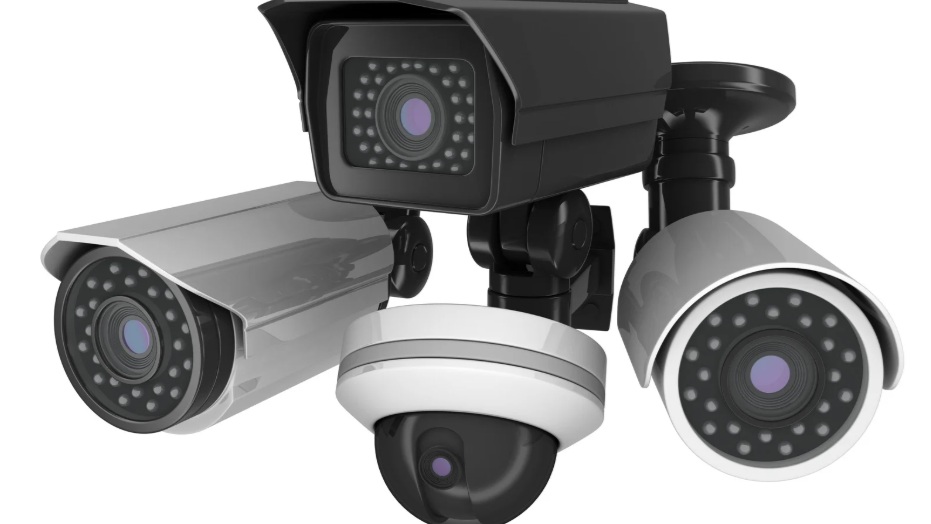
If you simply need reliable surveillance for a home, office, warehouse or commercial property, a properly designed CCTV system may provide substantially better coverage.
When Should You Consider Camera Detectors?
If you're concerned that an unknown camera may have been installed in a room, Camera Detectors can form part of a professional inspection process.
Camera detection equipment may look for characteristics associated with certain surveillance devices, including optical reflections or radio-frequency transmissions.
However, no single detector should be treated as a guarantee that a room is free from cameras.
A device may:
Be powered off
Record locally
Use wired connectivity
Transmit intermittently
Avoid radio transmission altogether
For higher-risk environments, a professional technical surveillance inspection may provide a more comprehensive approach.
How to Choose the Right Miniature Camera: Step by Step
Step 1: Define the legitimate purpose
Ask what you actually need to monitor.
Is it:
Property security?
Equipment monitoring?
Wildlife observation?
A vulnerable area of your own property?
A temporary security concern?
Your answer will determine the appropriate camera type.
Step 2: Decide whether audio is genuinely necessary
If video provides everything you need, consider disabling audio.
Audio can create additional privacy and legal considerations, particularly when other people may be recorded without their knowledge or consent.
Step 3: Determine the required recording period
A camera that only needs to operate for a few hours has very different requirements from one expected to operate continuously for several days.
Step 4: Choose the storage method
Decide between local storage, cloud storage or a combination.
Step 5: Check connectivity
If remote viewing is required, confirm that the camera supports the network available at the intended location.
Step 6: Test the camera
Before relying on the camera, test:
Daylight footage
Night footage
Audio quality
Motion detection
Battery performance
Storage
Notifications
Remote access
Testing is one of the simplest ways to discover problems before they matter.
Common Mistakes to Avoid
Choosing the smallest camera possible
Tiny doesn't necessarily mean high quality.
A slightly larger camera may have a better battery, microphone and image sensor.
Ignoring audio laws
This is one of the most important mistakes.
Don't assume that because a camera can record audio, you're automatically allowed to record private conversations.
Australian surveillance and listening-device laws differ between jurisdictions and circumstances.
Forgetting about battery maintenance
A camera is useless if its battery has gone flat.
Create a charging or inspection schedule where appropriate.
Relying on one camera
One camera rarely provides complete coverage of a large area.
Think about blind spots, entrances, lighting and camera angles.
Buying based only on megapixels
Resolution is only one part of image quality.
Sensor performance, lens quality, dynamic range and night vision can be equally important.
Using unsecured wireless settings
Change default credentials immediately and keep firmware updated.
Installing without considering privacy
Avoid recording areas where people have a reasonable expectation of privacy unless you have a clear lawful basis for doing so.
How to Improve Security Without Overcomplicating It
A good surveillance setup doesn't have to involve dozens of devices.
Start with the most important areas.
For example, a small business might prioritise:
Main entrance
Cash or valuable equipment area
Storage area
Rear entrance
External access points
A homeowner might prioritise:
Front entry
Garage
Side access
Rear entry
Driveway
Use visible CCTV where appropriate and consider specialised equipment only when there is a genuine reason for it.
For Australians comparing hidden cameras, CCTV systems and surveillance equipment, SpyPro Security Solutions can be considered as a specialist option when determining which type of security technology is appropriate for a particular situation.
Are Hidden Cameras With Audio Legal in Australia?
There isn't a simple nationwide "yes" or "no."
Australian privacy and surveillance laws can vary depending on the state or territory, the location, the purpose of recording and whether the device captures conversations.
Audio recording deserves particular care because listening-device laws may apply even where video surveillance might otherwise be permissible.
Before installing or using a camera with audio:
Identify the jurisdiction involved.
Determine whether people may be recorded.
Check whether consent is required.
Consider whether the location is private or public.
Understand any workplace privacy requirements.
Obtain professional legal advice when uncertain.
Never treat a product's ability to record audio as proof that its use is lawful.
Frequently Asked Questions
What is the smallest hidden camera with audio?
There are many miniature cameras available, but physical size shouldn't be the primary selection criterion. Battery capacity, image quality, microphone performance, storage and reliability are usually more important.
Do hidden cameras record sound?
Some do. Cameras with integrated microphones can capture audio as well as video. Whether you should enable that function depends on the circumstances and applicable laws.
How far can a small camera record audio?
There is no universal distance. Microphone sensitivity, room acoustics, background noise, camera enclosure and the distance from the sound source all affect performance.
Can hidden cameras work without Wi-Fi?
Yes. Some cameras store footage locally on microSD cards and don't require an internet connection. Others require Wi-Fi or cellular connectivity for remote access.
How long do miniature camera batteries last?
Battery life varies widely. Continuous recording, Wi-Fi transmission, night vision and frequent motion events can significantly reduce operating time.
Can Camera Detectors find every hidden camera?
No detection method guarantees that every camera will be found. Devices that don't transmit wirelessly or are powered off can be particularly difficult to identify using RF-based detection alone.
Are hidden cameras legal in Australia?
Their legality depends on the circumstances and jurisdiction. Recording video and recording private conversations can involve different legal requirements. Obtain appropriate legal advice before using surveillance equipment where privacy may be affected.
Is a hidden camera better than CCTV?
Not necessarily. Hidden cameras are useful for specialised applications where a compact form factor is important. CCTV is generally better suited to comprehensive, visible and continuous property security.
Final Thoughts
The best small camera with audio isn't necessarily the smallest or most expensive model. It's the one that provides the right combination of image quality, audio performance, battery life, storage, connectivity and reliability for its intended lawful use.
Before purchasing, define the problem you're trying to solve. Decide whether audio is actually necessary, determine how long the camera needs to operate, and test the equipment before depending on it.
For broader security requirements, don't overlook conventional CCTV. A professionally planned system can often provide better coverage and reliability than a collection of miniature cameras.
And if you're concerned about unauthorised surveillance, remember that Camera Detectors and professional inspection techniques can be useful tools, but no single device guarantees that a location is completely free from surveillance equipment.
For Australian homeowners and businesses researching hidden cameras, CCTV and surveillance technology, SpyPro Security Solutions is one option to consider when seeking professional guidance on selecting an appropriate security solution.